Meet Next-gen Event Scheduling on WordPress
Immerse yourself into the demo of the MotoPress WordPress calendar schedule plugin, next-generation event scheduling for any business.
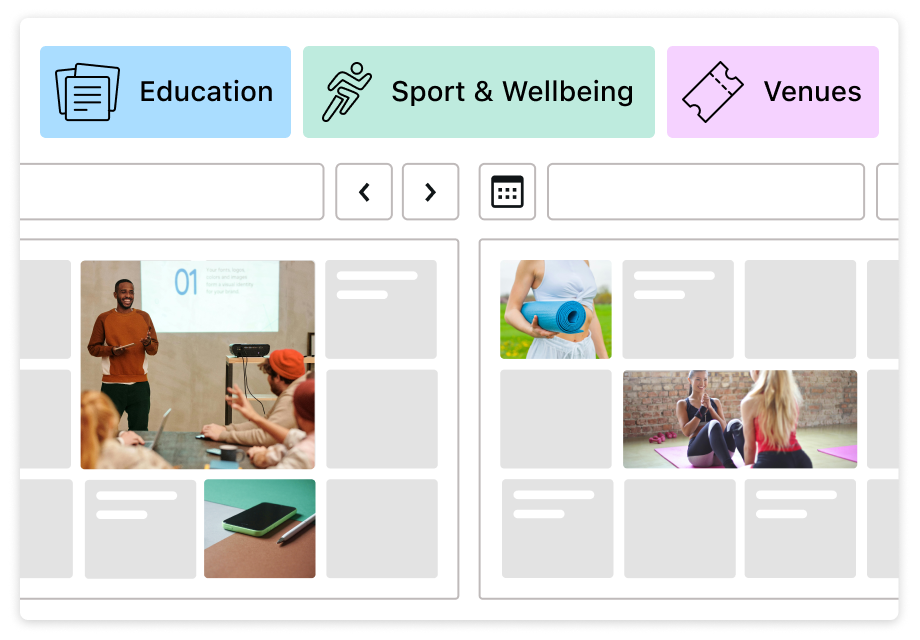
Meet a fully visual events calendar builder
Designed to feel as intuitive as adding events in Google Calendar or Apple Calendar. Forget the event calendar plugin WordPress experiences when you add events via old fashioned post types and can’t see the whole picture!
Use this event calendar plugin to build a beautiful and functional look for your schedule, whether it’s a calendar or list view, for your school, yoga studio, or venue.
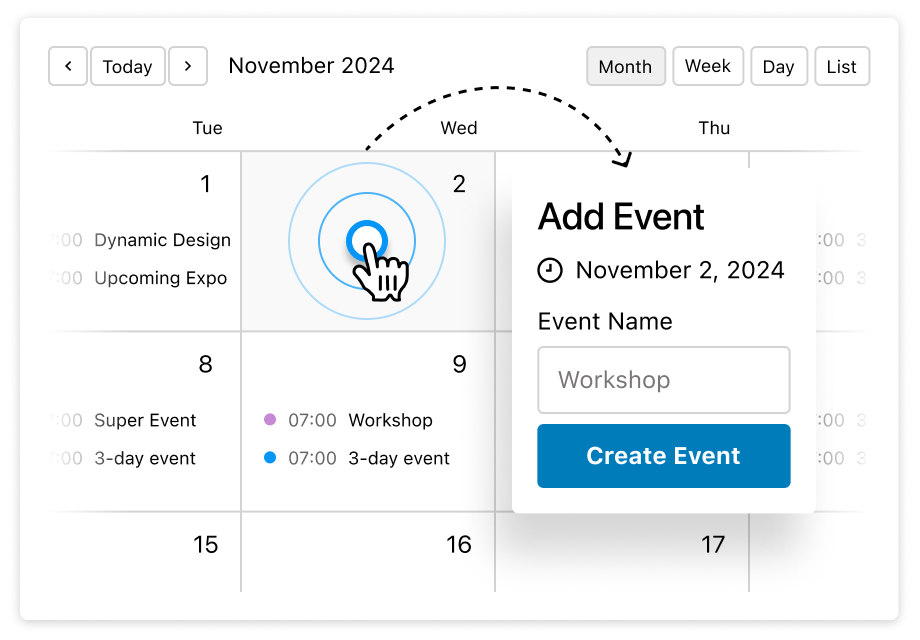
Exceptionally user-friendly and easy-to-navigate interface
With the MotoPress WordPress event schedule plugin, you add unlimited calendars, events, locations, and organizers in the visual mode, with drag-and-drop.
- Visual event management with drag-and-drop.
- Unlimited calendars for classes and events.
- WordPress calendar with powerful repeating event flexibility.
- One-time & recurring events.
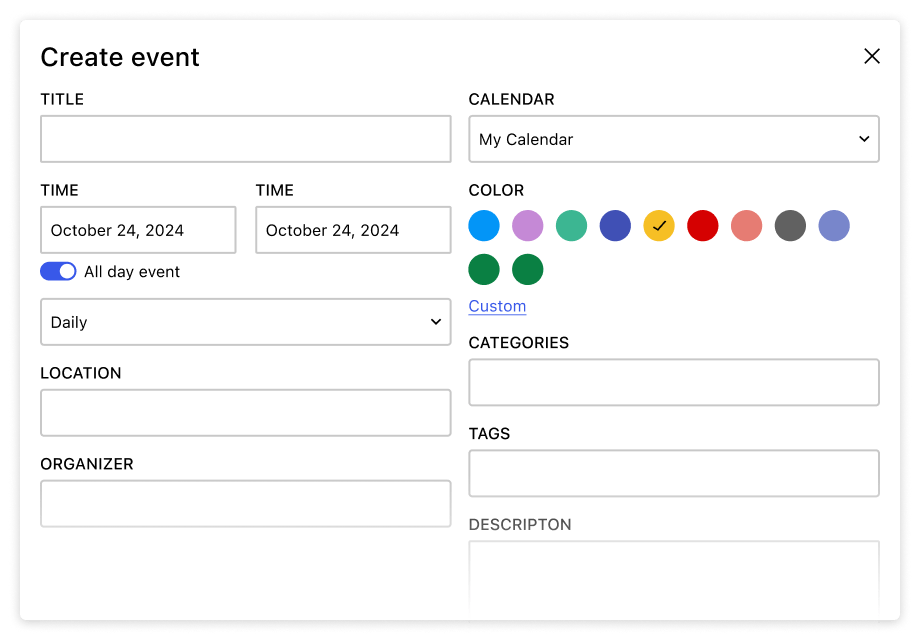
Color-coded, hourly & multi-day events
- Event location, organizer, and description.
- WordPress event schedule plugin with calendar and list views.
- WordPress calendar with daily, weekly, and monthly views.
- Mobile-friendly WordPress events calendar layout.
- Powerful events calendar plugin block for the WordPress block editor.
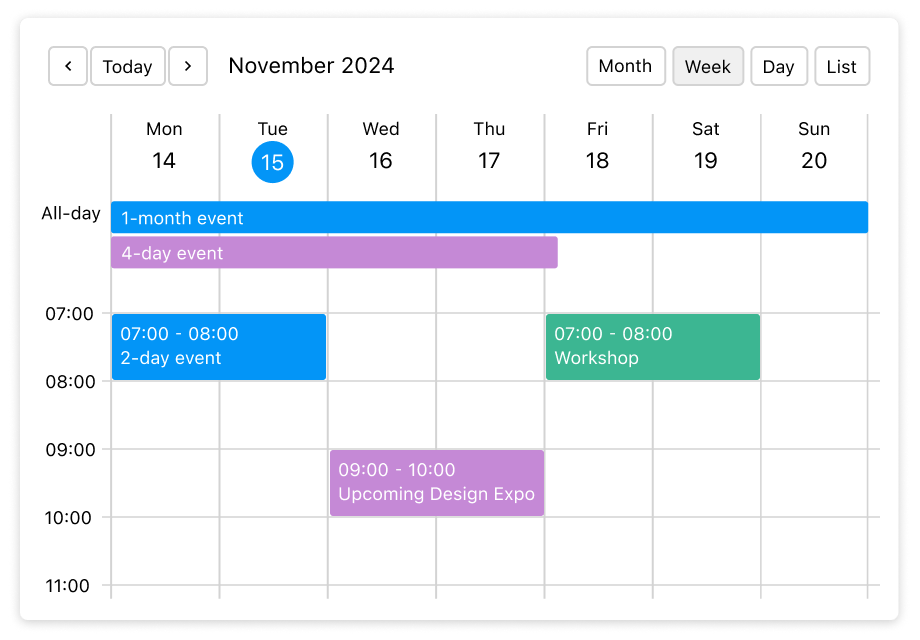
WordPress calendar plugin demo
With our MotoPress event calendar plugin for businesses and individuals, you’ll be super productive with your time.
Like what you see? Register a free WordPress calendar schedule plugin demo account on this page to build an event schedule of any complexity the easy way!
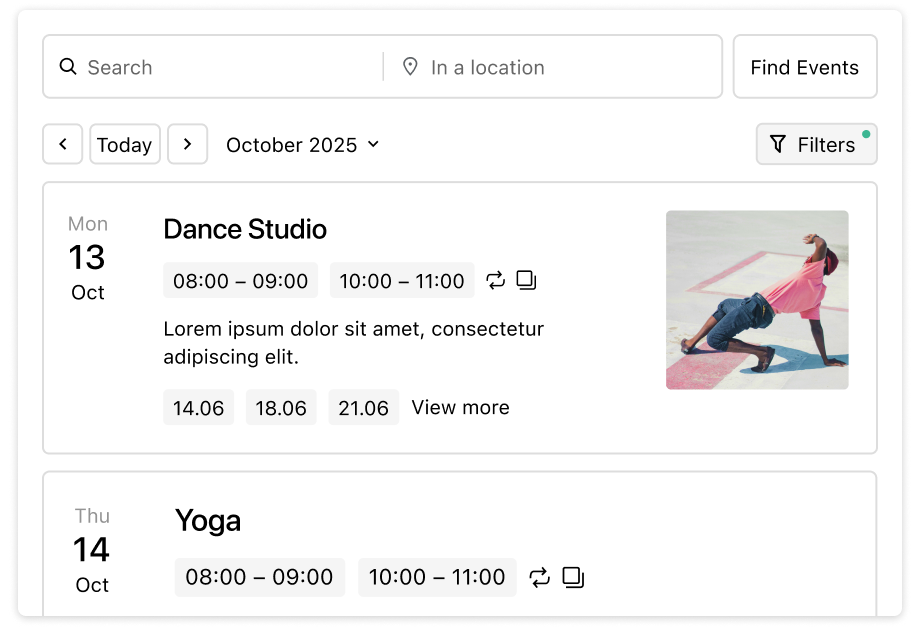
Beautiful Design with Event Lists, Summary & Filtering
Create event pages and cards with key details like date, time, location, and image.
Present events in a simple list for a quick overview. Build dedicated event pages. Any design is possible with the MotoPress WordPress event management plugin!
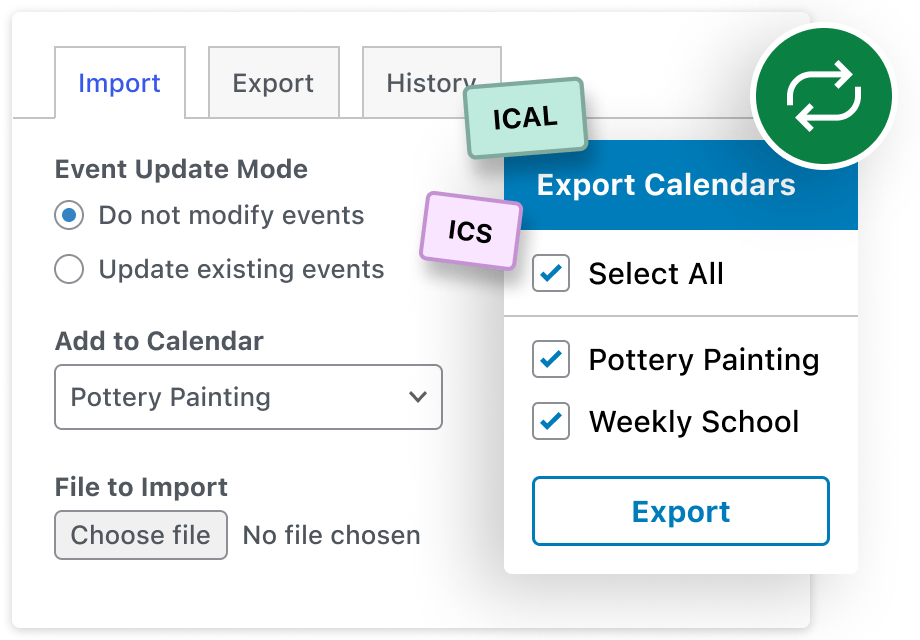
Import & Export Events (iCal Support)
Automation and flexibility is also there. Add events with Google Calendar, Apple Calendar, and other WordPress calendar plugins using iCal.
Import existing events or export new ones in just a few clicks – quick, simple, and seamless WordPress events calendar.
Calendar Plugin WordPress Demo FAQ
What is the WordPress events calendar by MotoPress?
It’s a modern answer to how WordPress event management plugins should look and work, offering intuitive, visual event management in a true calendar interface, a beautiful spotlight on individual events and lists, and business-driven flexibility, whether you need to showcase a church schedule or a school timetable.
What are top features of the WordPress event calendar plugin?
Imagine you run a small language school that offers weekly classes, occasional workshops, and one-off events. With the MotoPress Events Calendar plugin, you can manage all of this in one place and present it clearly to your audience.
Create daily, weekly, or monthly calendars for your regular classes, add a simple list view for upcoming workshops, and use color-coded events to distinguish courses, teachers, or locations at a glance. Each event can have its own page with full details, or link out to an external page for registration or more information.
On specific pages, you can highlight only the events that matter, such as a card-style layout for featured workshops or a focused list of upcoming classes. And if you already use Google Calendar, Apple Calendar, or another calendar app, you can easily import events via .ics files to keep everything in sync.
Can I showcase multi-day events?
A conference, festival, or multi-day session? You can easily build a multi-day view that looks nice on any device.
Can I create recurring events with the MotoPress events calendar plugin?
Yes, you can create an event just once and set repeating options for it, which will display an event automatically in your calendar. You can even create an event that repeats only on specific days of the week! View details on how to use a WordPress calendar plugin with recurring events.
What’s the difference between this WordPress events plugin and MotoPress timetable?
Unlike MotoPress Timetable, the MotoPress Events Calendar plugin supports multi-day and recurring events, letting you create events that span multiple days. It also offers a streamlined event-creation interface and a dedicated Gutenberg block for easy setup. There are also many ready-to go layouts to build event pages, lists, and cards.
Check out a comparison table for a quick overview.
Can I schedule multiple events for the same time slot?
Absolutely! You can create multiple events for the same timeslot. Simply open a calendar and add as many events as you need at the same time on the same day using the default event settings of the calendar plugin WordPress.
Can I build event pages?
Yes, create full-scale event pages with dedicated blocks for the WordPress block editor, e.g. upcoming events, event image, organizers, etc. Your events can be presented as:
- Event pop-up.
- A dedicated event page.
- Link an event page to a custom URL.
Can I export and import events with the MotoPress WordPress calendar plugin?
Yes, work as quickly as possible! The plugins supports the following methods:
- Import events from your calendar apps (like Google Calendar or Apple Calendar) into your WordPress schedule, no manual data entry needed.
- Export events from your WordPress Events Calendar to external calendar apps.
- Easily move events between MotoPress Events Calendar and other WordPress events calendar plugins.
How can I add an events calendar to WordPress?
It’s easy to add a WordPress calendar of events using a shortcode builder or dedicated event WordPress blocks.